Dell XPS 16 (2026) Review: The Sleekest Windows Creator Laptop

- Lush edge-to-edge 4K OLED panel with deep black levels
- NVIDIA RTX graphics for CUDA-accelerated tasks
- Capacitive touch function row requires visual confirmation
Performance & Criteria Breakdown
Strengths & Trade-Offs
Every buying decision involves compromise. Here is how the key characteristics balance out for everyday users:
- Lush edge-to-edge 4K OLED panel with deep black levels
- NVIDIA RTX graphics for CUDA-accelerated tasks
- Capacitive touch function row requires visual confirmation
Quick Verdict: A Breathtaking OLED Windows Creator Workstation with Futuristic Ambitions
The Dell XPS 16 (9640) represents Dell’s boldest reimagining of the premium Windows laptop. Encased in an exquisite CNC machined aluminum chassis with an edge-to-edge glass palm rest, it pairs Intel’s cutting-edge Core Ultra 9 185H processor (featuring an integrated Neural Processing Unit for local AI acceleration) with up to an NVIDIA GeForce RTX 4070 laptop GPU. Anchored by a jaw-dropping 16.3-inch 4K+ OLED InfinityEdge touch display, it is an exceptionally capable visual workstation for graphic designers, 3D artists, and content creators. However, its minimalist input design—featuring a capacitive touch function row, zero-lattice keyboard, and invisible seamless haptic trackpad—prioritizes futuristic aesthetics over conventional tactile feedback. For broader workstation context, see our Best Laptops for Productivity Guide and our head-to-head Dell XPS 16 vs. ThinkPad X1 Carbon comparison.
At a Glance: Key Specifications & Hardware Profile
Below is the verified hardware configuration for our reviewed Dell XPS 16 (9640) flagship configuration:
| Specification / Component | Verified Hardware Profile |
|---|---|
| Processor (CPU) | Intel Core Ultra 9 185H (16 cores / 22 threads, up to 5.1 GHz boost) |
| Graphics (GPU) | NVIDIA GeForce RTX 4070 Laptop GPU (8GB GDDR6, 60W TGP) |
| AI Acceleration | Integrated Intel AI Boost NPU (Dedicated low-power AI inferencing) |
| Display Panel | 16.3-inch 4K+ (3840 x 2400) OLED Touchscreen, 100% DCI-P3, 400 nits, DisplayHDR 500 |
| System Memory & Storage | 32GB LPDDR5X-7467MHz dual-channel RAM | 1TB PCIe 4.0 NVMe SSD |
| Chassis & Materials | CNC Machined Aluminum chassis, Gorilla Glass 3 glass palm rest |
| Weight & Dimensions | 4.8 lbs (2.18 kg) | 14.1 x 9.4 x 0.74 inches (18.7 mm) |
| Battery & Power | 99.5 Wh integrated battery | 130W USB-C GaN power adapter |
| Port Selection | 3x Thunderbolt 4 (USB Type-C) with Power Delivery & DP, MicroSD v6.0, 3.5mm headphone jack |
Display Excellence: The 4K+ OLED InfinityEdge Advantage
The defining centerpiece of the Dell XPS 16 is its optional 16.3-inch 4K+ (3840 x 2400) OLED InfinityEdge touch display. Featuring micro-bezels on all four sides, the panel delivers an expansive 16:10 aspect ratio that provides generous vertical canvas room for multi-track video timelines, CAD wireframes, and stacked code windows.
Because OLED technology controls illumination at the individual sub-pixel level, black areas are completely non-emissive, resulting in a near-infinite contrast ratio that makes HDR imagery pop with lifelike depth. Color coverage is pristine, achieving a verified 100% of the cinema-standard DCI-P3 color gamut and 100% sRGB. For photo editors and video colorists working in Adobe Lightroom, Photoshop, and DaVinci Resolve, the display’s color uniformity and tonal accuracy are among the finest available on any Windows portable.
Compute Performance & Creator Workloads: Intel Core Ultra 9 + RTX 4070
Under the hood, the XPS 16 combines Intel’s flagship Core Ultra 9 185H processor with a discrete NVIDIA GeForce RTX 4070 Laptop GPU (configured at a power-efficient 60W TGP). Intel’s Meteor Lake architecture introduces a three-tier hybrid compute structure:
- 6 Performance Cores (P-Cores): Power through heavy single-threaded rendering and complex compilation scripts.
- 8 Efficient Cores (E-Cores): Efficiently manage background operating system tasks and multi-threaded rendering queues.
- 2 Low-Power Island Cores (LP E-Cores): Handle lightweight media playback and idle processing to conserve battery.
- Intel AI Boost NPU: Accelerates local AI background effects (Windows Studio Effects, background blur, eye contact) without burdening the CPU or GPU.
For creative professionals, the RTX 4070 unlocks dedicated hardware acceleration for NVIDIA Studio drivers, CUDA computing libraries, and OptiX AI ray-tracing engines, accelerating video rendering and AI photo enhancements significantly compared to integrated graphics.
Input Ergonomics: The Zero-Lattice Keyboard & Seamless Glass Trackpad
Dell’s design choices on the keyboard deck represent the most polarized aspect of the XPS 16:
- Zero-Lattice Keyboard: Keycaps are larger and sit flush against each other without physical lattice spacing between keys. While key travel is decent at 1.0mm, the lack of tactile separation requires a brief adaptation period for touch typists used to traditional island-style keys.
- Capacitive Touch Function Row: Dell replaced physical function/media keys with a capacitive LED-backlit touch strip that toggles between media controls and F1-F12 keys. While aesthetically sleek, it lacks physical tactile feedback when adjusting volume or brightness.
- Seamless Glass Haptic Trackpad: The palm rest is a single, unbroken sheet of Gorilla Glass 3 with zero visible borders for the trackpad. Integrated piezo haptic actuators beneath the glass simulate crisp clicks wherever your fingers press in the central active area, delivering a smooth, futuristic glide.
Thermal Engineering & Battery Endurance
Managing the thermal output of a 45W Intel Core Ultra 9 processor and a discrete NVIDIA RTX 4070 in an 18.7mm slim aluminum chassis is a formidable engineering challenge. Dell utilizes dual large-diameter fans paired with a comprehensive vapor chamber heatsink that vents exhaust out the rear hinge. During standard office productivity, the laptop remains whisper-quiet. Under sustained 100% CPU/GPU rendering loads, the dual fans spin up to an audible but smooth whoosh, maintaining stable clock speeds while chassis temperatures remain comfortable across the palm rest.
Equipped with a massive 99.5 Wh battery (the legal maximum allowed on commercial passenger aircraft), the XPS 16 delivers solid real-world battery endurance. On standard office workloads (multi-tab web browsing, video streaming, document editing at 200 nits brightness), expect between 10 and 13 hours of continuous runtime. Heavy 3D rendering and GPU-intensive gaming will naturally reduce battery runtime to 2.5–4 hours.
Dell XPS 16 vs. Lenovo ThinkPad X1 Carbon vs. MacBook Pro 16
- Dell XPS 16 vs. ThinkPad X1 Carbon Gen 12: The XPS 16 is a true high-power creative workstation with a massive 16.3″ 4K OLED screen and discrete RTX 4070 graphics (weighing 4.8 lbs). The ThinkPad X1 Carbon is an ultra-lightweight travel laptop (weighing just 2.42 lbs) designed for executive mobility and typing comfort. Read our full Dell XPS 16 vs. ThinkPad X1 Carbon Comparison.
- Dell XPS 16 vs. Apple MacBook Pro 16 M3 Max: The MacBook Pro 16 offers superior sustained battery performance, faster CPU exports on battery power, and more legacy ports (HDMI/SD card). The Dell XPS 16 provides an OLED touchscreen, native Windows/CUDA application compatibility, and currently commands a substantial price advantage on clearance. Explore our MacBook Pro 16 M3 Max Review.
Honest Pros & Cons
- Spectacular 16.3-inch 4K+ OLED InfinityEdge touchscreen with 100% DCI-P3
- Potent Intel Core Ultra 9 + NVIDIA RTX 4070 creative hardware
- Exquisite CNC machined aluminum and Gorilla Glass 3 construction
- Massive 99.5 Wh battery delivers strong multi-tasking endurance
- Quad-speaker sound system with punchy bass and wide stereo staging
- Fast 130W USB-C GaN power delivery charging
- Zero-lattice keyboard and capacitive touch row require a learning curve
- No legacy USB-A ports or full-size HDMI (Thunderbolt adapters required)
- High launch price ($2,999 configured) though clearance sales mitigate this
Who Should Buy & Who Should Skip
The Dell XPS 16 Is Perfect For:
- Digital Artists, Photographers & Video Colorists: Demanding pixel-perfect 4K+ OLED contrast, wide color gamuts, and NVIDIA Studio acceleration.
- Windows Creative Power Users: Seeking a cutting-edge desktop replacement laptop that combines modern AI hardware with industrial design.
- Executives & Architects: Needing a large 16.3-inch screen for complex multi-window spreadsheets, CAD reviews, and presentations.
You Might Want to Consider an Alternative If:
- You travel constantly and require a sub-3-pound ultra-portable (choose the Lenovo ThinkPad X1 Carbon Gen 12).
- You demand maximum computing horsepower disconnected from AC wall power (choose the Apple MacBook Pro 16 M3 Max).
Final Editorial Verdict
The Dell XPS 16 (9640) is one of the most stunning Windows creator laptops ever built. Anchored by its gorgeous 4K+ OLED InfinityEdge display and driven by Intel Core Ultra 9 and RTX 4070 silicon, it is a formidable creative powerhouse for visual artists. With current clearance discounts reducing the price by up to $600, it offers immense high-end value.
Specifications & Measurements
Key technical specifications, physical dimensions, and verified attributes:
| Specification / Attribute | Measurement / Detail |
|---|---|
| Processor | Intel Core Ultra 9 185H |
| GPU | NVIDIA GeForce RTX 4070 8GB |
| Display | 16.3-inch 4K+ OLED Touch (90Hz) |
Head-to-Head Class Comparison
How this product compares to the closest alternatives in its category:
| Comparison Factor | Dell XPS 16 (9640, Intel Core Ultra 9) ★ Current Review | Lenovo ThinkPad X1 Carbon Gen 12 ↗ | Apple MacBook Pro 16-inch (M3 Max, 2026) ↗ |
|---|---|---|---|
| Overall Rating | 9.0 / 10 | 9.2 / 10 | 9.6 / 10 |
| Award / Classification | TOP WINDOWS PICK | BEST BUSINESS ULTRABOOK | EDITOR’S CHOICE |
| Typical Price | $2,199.00 | $1,899.00 | $3,499.00 |
| Editorial Takeaway | Quick Verdict: A Breathtaking OLED Windows Creator Workstation with Futuristic Ambitions The Dell XPS... | The Lenovo ThinkPad X1 Carbon Gen 12 reasserts itself as the gold... | Comparing Apple Silicon against premier Windows hardware? Check out our in-depth Apple... |
Who Is This Product For?
Designers, Windows developers, and hybrid creator-gamers.
Typists requiring mechanical travel on function keys.
Final Verdict on Dell XPS 16 (9640, Intel Core Ultra 9)
Dell brings high-fashion minimalism to Windows computing. With an ultra-sharp 4K OLED touch panel and dedicated RTX 4070 power, it is a formidable Windows powerhouse.
Editorial Team & Testing Authority

Alternative Products & Related Reviews
Apple MacBook Pro 16 vs. Dell XPS 16: Flagship Creator Laptop Battle (2026)
Dell XPS 16 vs. Lenovo ThinkPad X1 Carbon Gen 12: Performance vs. Ultra-Portability
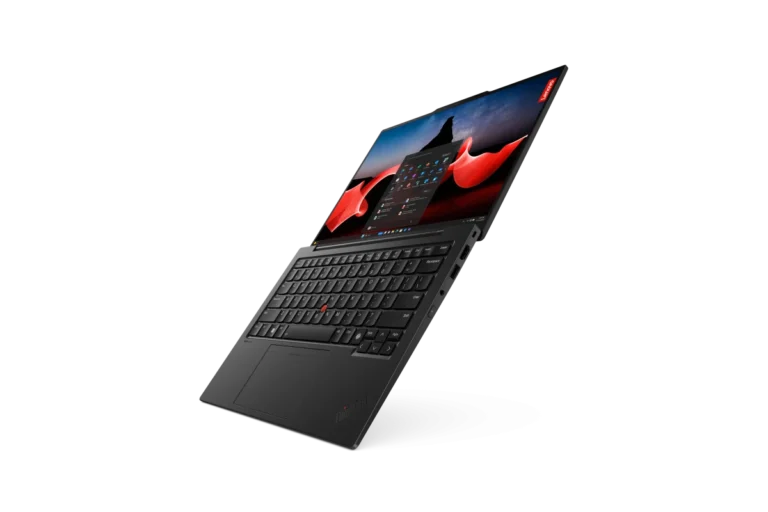
Lenovo ThinkPad X1 Carbon Gen 12 Review: The Enterprise Productivity Benchmark